User guide: Syrians abroad
This guide covers what is particular to people abroad: signing up from your country of residence, showing your expertise in the expert network, the opportunities open to you, and mentoring. Building your passport and applying work as in the guide for people looking for an opportunity.
Download PDF1. Signing up from outside Syria
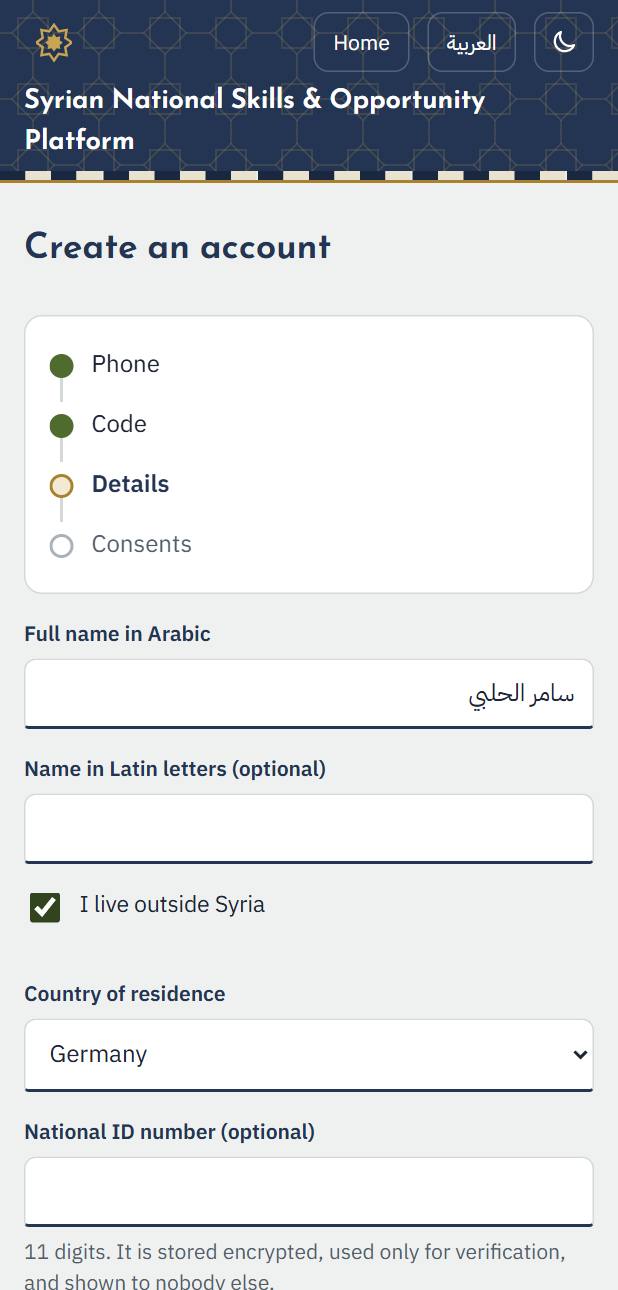
1. Sign up with your mobile number in your country of residence, in the international form starting with +. The code arrives by text message, as in Syria.
2. In the details step tick “I live outside Syria” and choose your “Country of residence” instead of a governorate. You can change it later.
2. Offering your expertise
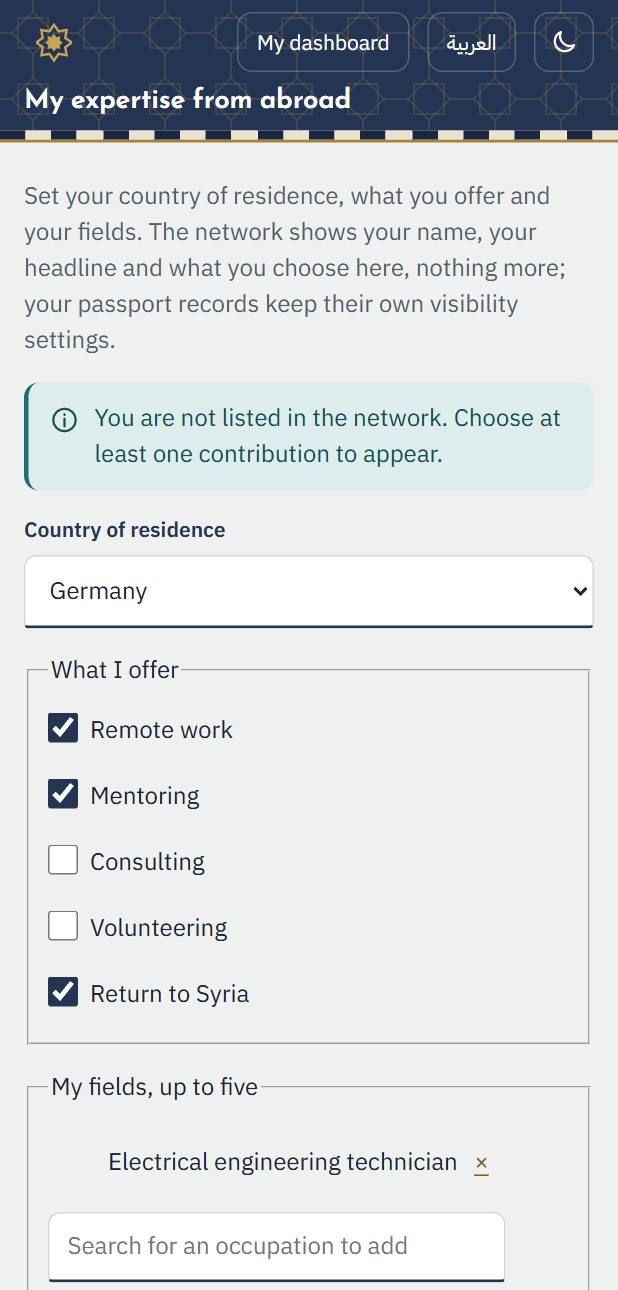
In “My expertise from abroad” you say what you offer Syrians at home, and you appear in the expert network.
1. Choose what you offer: remote work, mentoring, consulting, volunteering or coming back to Syria. Then search for your occupation and add up to five fields.
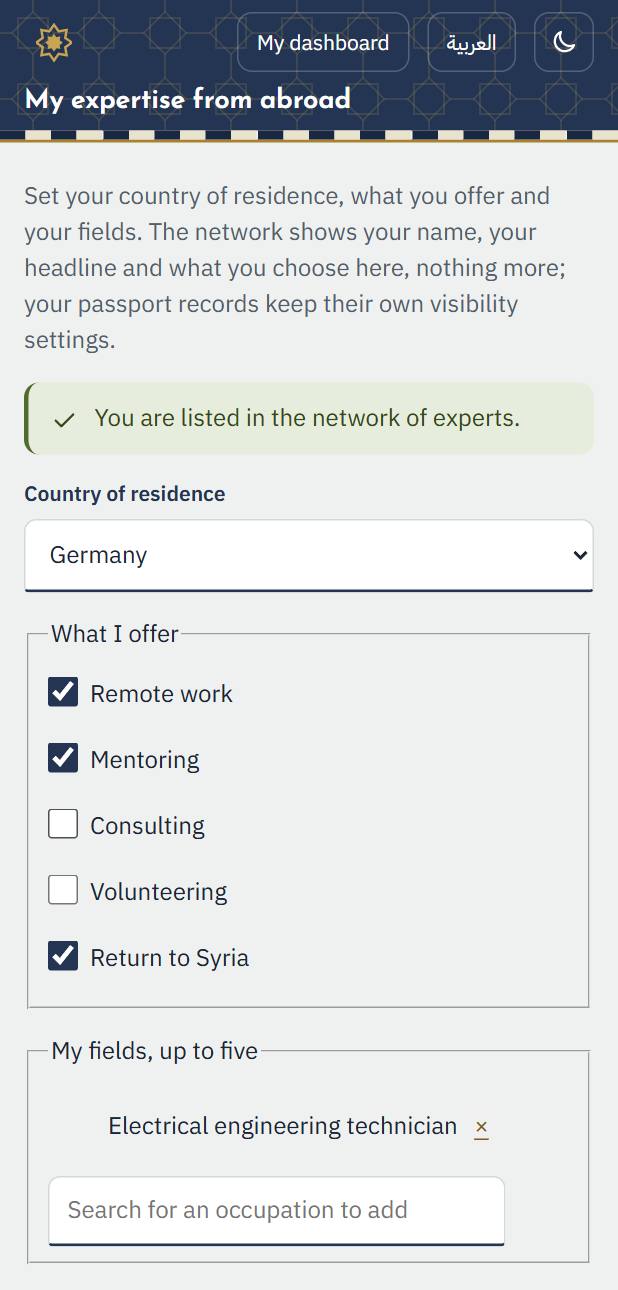
2. Press “Save”. The message “You are listed in the network of experts.” appears.
3. Opportunities for people abroad
1. In “My expertise from abroad” choose “Opportunities open to people living outside Syria” or “Remote work that can be done from abroad”: the opportunities page opens filtered for you.
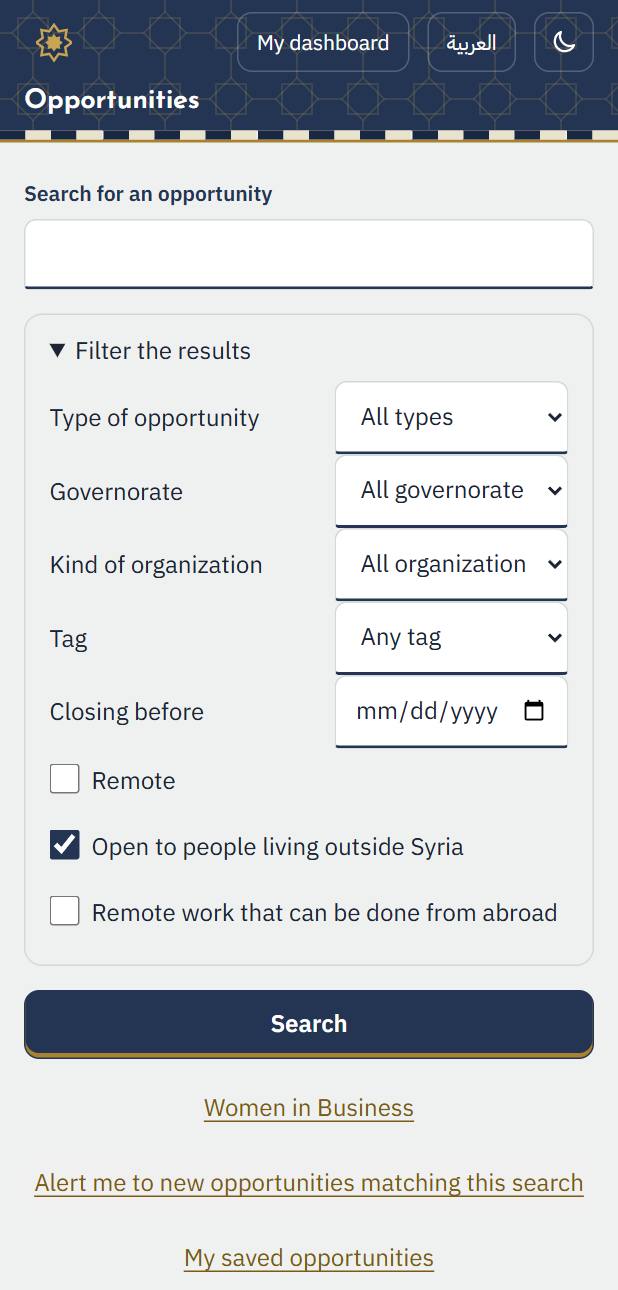
2. Applying works as in the guide for people looking for an opportunity: open it, press “Apply now”, and follow your application in “My applications”.
4. The expert network abroad
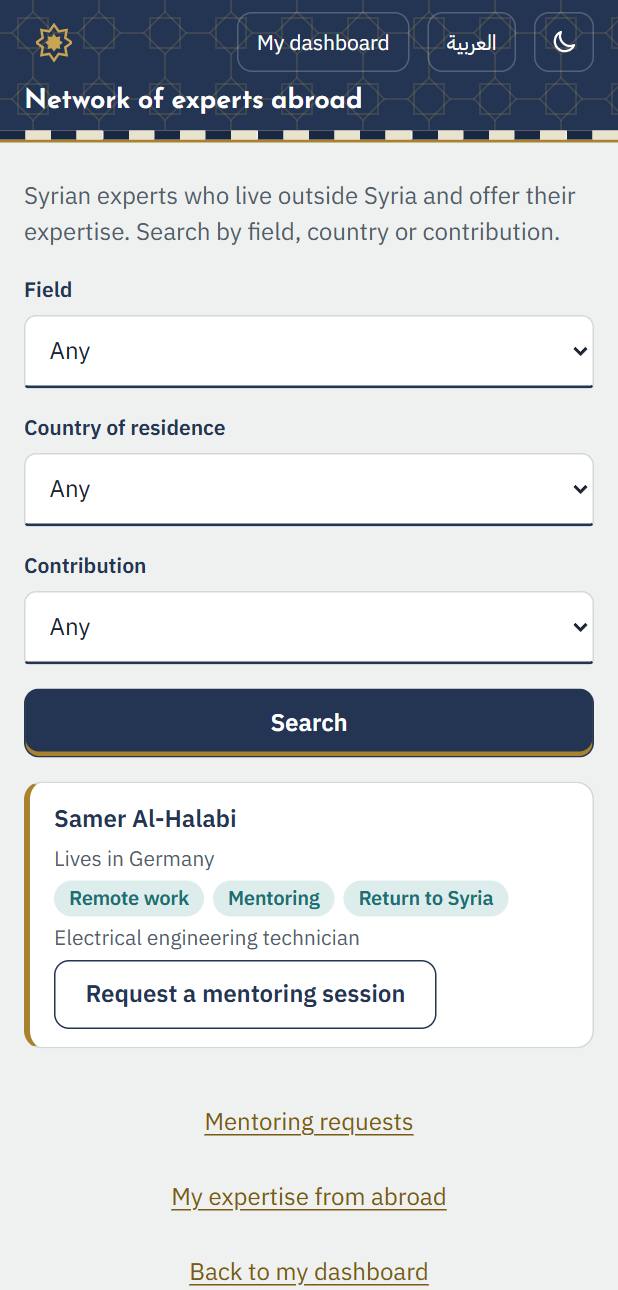
1. “Network of experts abroad” shows the experts by field, country and kind of contribution. Anyone signed in can search it.
5. Mentoring
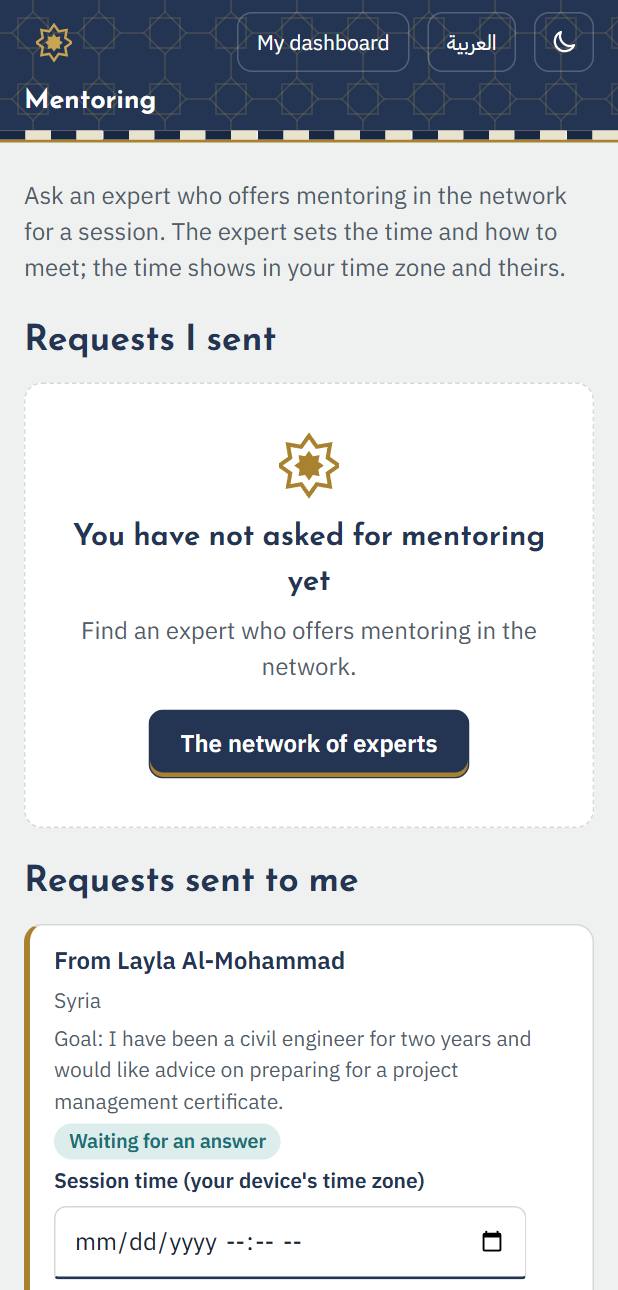
Someone in Syria asks an expert who offers mentoring for a session; the expert sets the time and the way to meet.
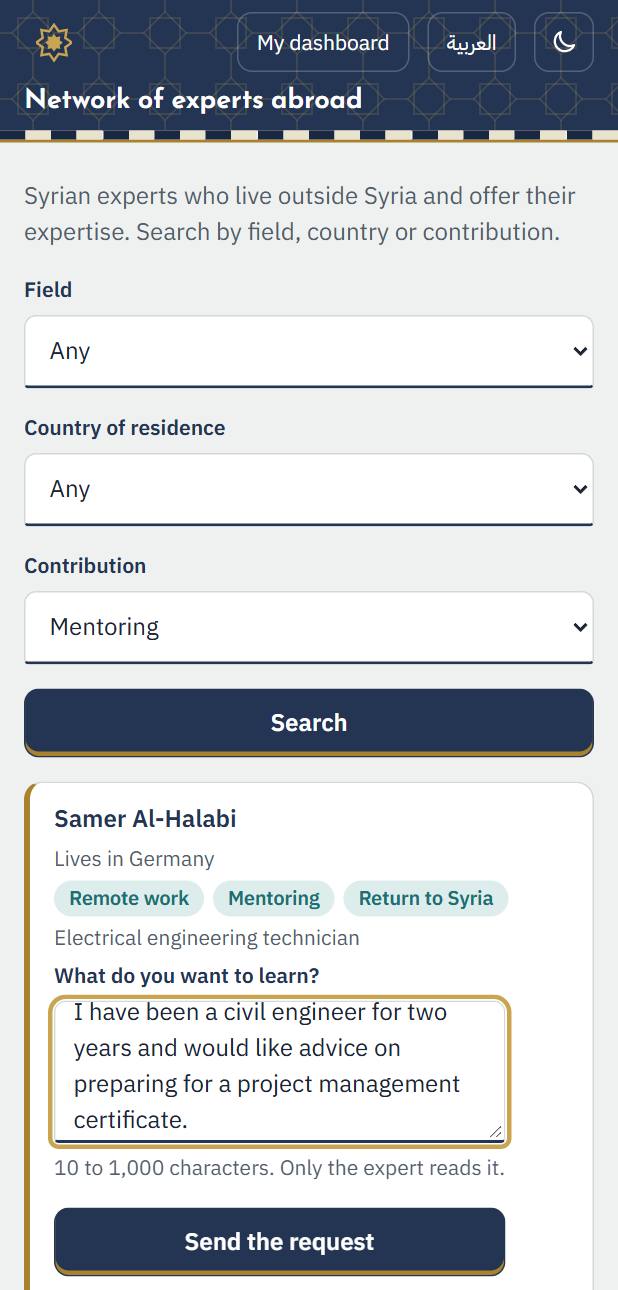
1. In the network, the person presses “Request a mentoring session” at the expert, writes what they want to learn, then “Send the request”.
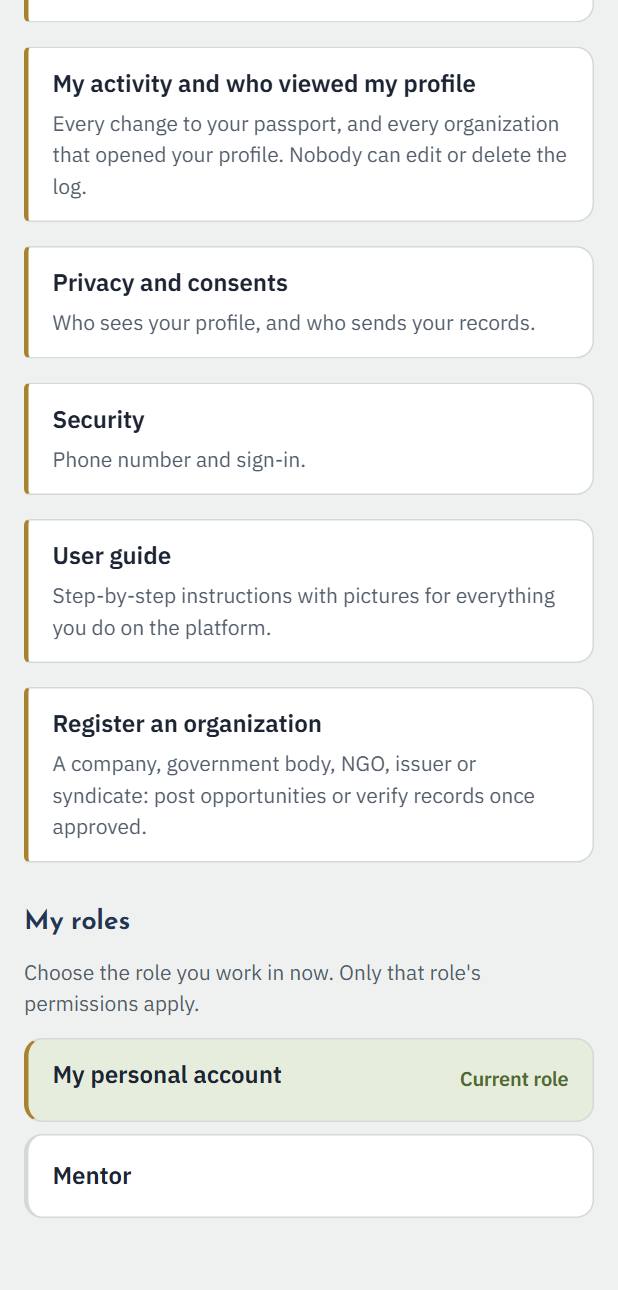
2. When you offer mentoring, the role “Mentor” appears under “My roles” on your dashboard. Choose it to work in it.
3. Open “Mentoring requests” to see the requests you received: accept one and set the time and the way to meet, or decline. The time shows in your time zone and the other person's.